Zerg Bot · Personal AI
Give your work a bot of its own.
Create Zerg Bots with distinct voices, knowledge and conversations. Share files, inspect tool activity, and bring a trusted perspective to your work.
Open Zerg Bot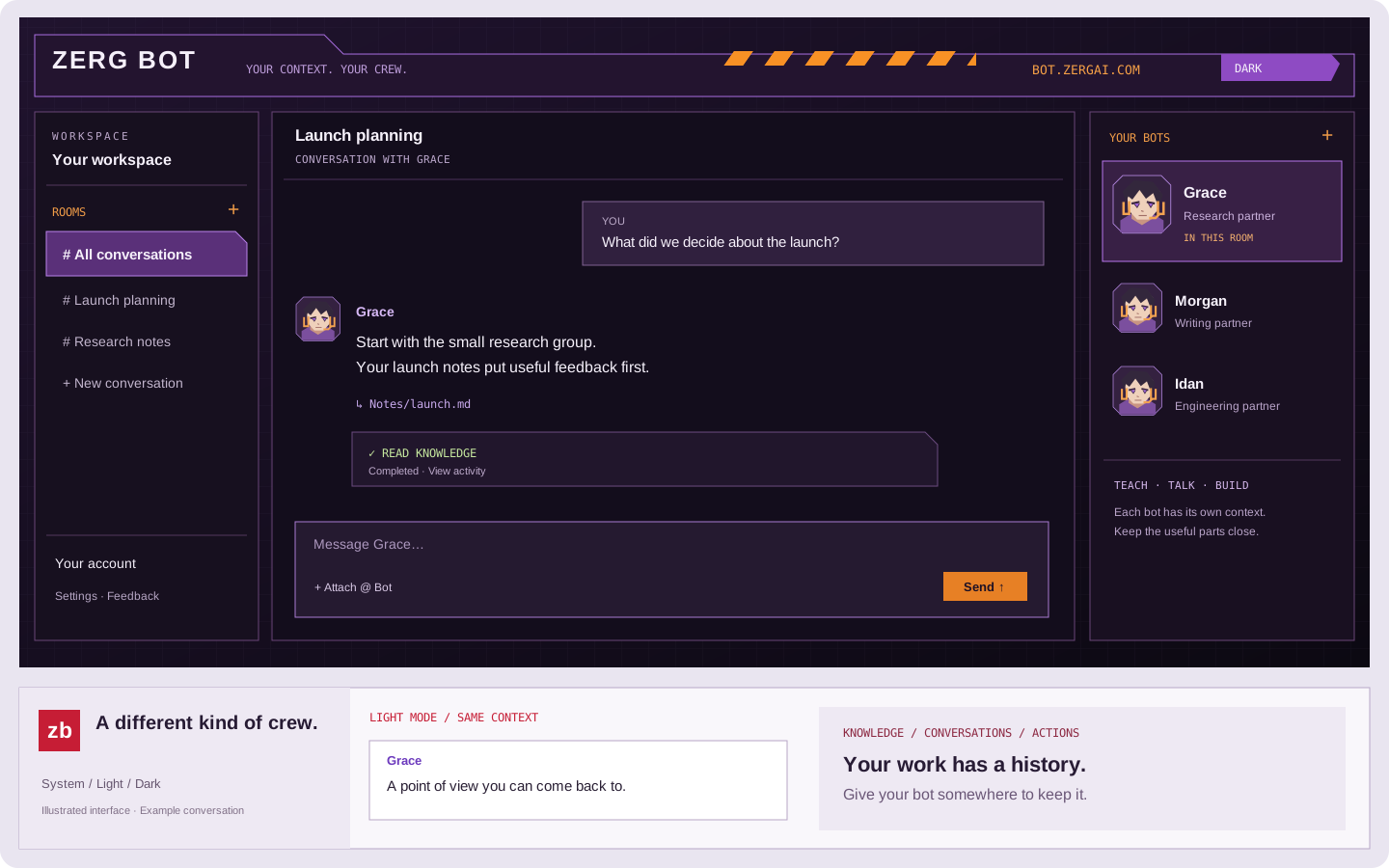
Your context. A lasting conversation.
A collaborator with something to build on.
With your bot
Keep a point of view. Give each bot its own background, working guidance, voice and knowledge files. Return to a conversation without starting over.
With your bot
Talk in context. Organize conversations into rooms, choose a bot with @, and share images, documents, audio, video or links. Inspect media and tool activity alongside the reply.
With your bot
Put it to work. Use the browser, Mac app or CLI, and configure supported channels and code review integrations for the work your bot should handle.
A crew of your own
Start simple. Shape it as you work.
- 01
Start with a name. Create a private bot with sensible defaults, then adjust its profile and knowledge when you need a more specific perspective.
- 02
Teach it through context. Add useful files and instructions, ask follow-up questions, and inspect the tool activity behind its answers. Available tools and channels depend on your setup.
- 03
Build a crew. Fork a bot’s profile and ready knowledge or start a fresh bot. Forking does not copy credentials, channel permissions or conversation history.
Bring your bots to the work
Start in Zerg Bot, then configure the connections you need in your workspace. Supported channels include ZergChat, Slack and Zmail; each requires its own authorization and setup. Zerg Router supplies model access, and ZTC powers the bot runtime.
Code review is one use case: give a bot the context and standards it needs to review changes. The same profile and knowledge can support research, writing and everyday conversations.
For agent setup, CLI installation and supported API workflows, read the agent guide.
Keep your bots close.
Download the Mac app for quick access to your workspace, or open Zerg Bot in your browser. The download page lists the current release and system requirements.
Get Zerg Bot for Mac