November 5, 2026 / 3 min read
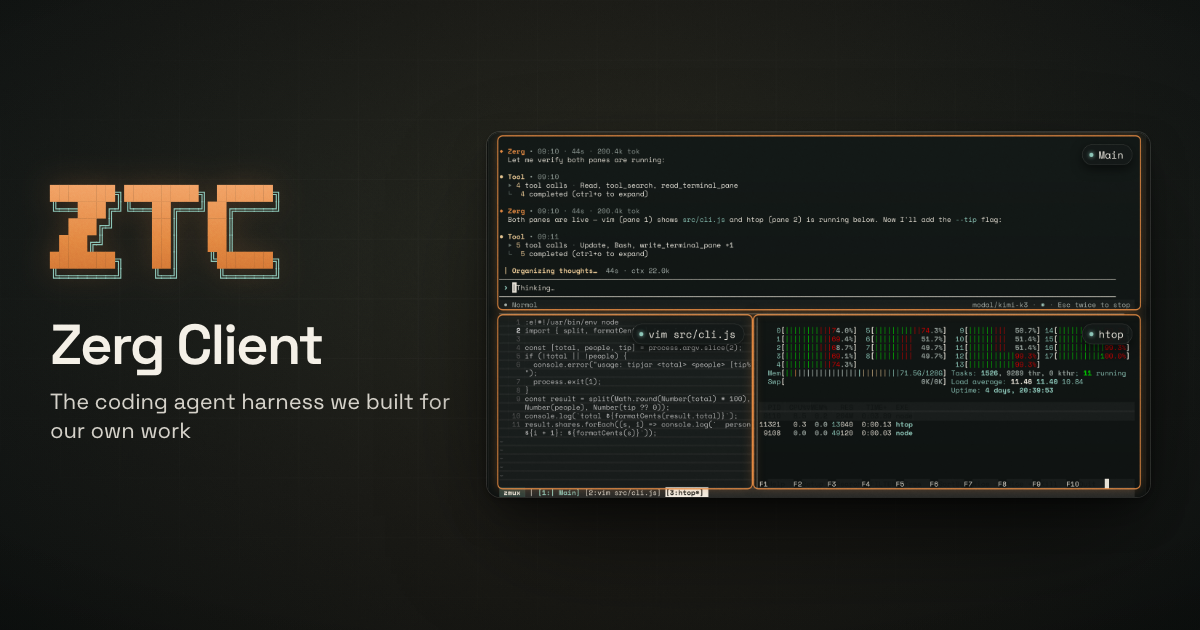
Zerg Client: the coding harness we built for our own work

The second coding agent made the problem obvious. Two agents meant two provider setups, two spend records, and more places to look when something stopped working. Adding another tool meant doing it again.
ZergRouter puts the route in your account. Give each compatible tool a scoped Router key and one endpoint: https://zergrouter.com/v1. Then choose the model, set a budget for that key, and decide which fallback models it can try. Your editor, terminal, and coding workflow stay familiar.
That is the idea behind our Product Hunt launch: keep your coding tools, choose your models. Here is the one-minute version.
You can like a coding tool without wanting to use the same model for every job. One task might call for your usual model; another might be a good reason to try DeepSeek. Rebuilding your workflow every time makes that choice expensive.
ZergRouter lets Codex use DeepSeek V4.1 Flash through Modal. Codex keeps running its local shell commands and file-editing tools; Router handles the model request. Use the Codex connection guide and an eligible model from your authenticated catalog. This route uses your Router access and budget, independently of your ChatGPT subscription.
The same account can serve other supported clients, including ZTC, Pi, and OpenCode. Each client has its own connection instructions and supported model routes. Start with the Connect guides, then change the model when the work calls for it.
A background agent, an interactive coding session, and an experiment should be easy to tell apart. Give each one its own Router key. You can revoke one tool's access without replacing the keys in every other tool, and inspect the usage associated with each caller.
Set an optional daily dollar budget on each key. For example, you might give a small experiment a $1 daily budget and a longer-running agent a $5 budget. Those are choices you make, rather than pricing tiers.
Once recorded spend reaches the key's budget, new requests are refused with 429. Budgets use UTC days. Requests already in flight can still add usage, so the limit is an admission control based on recorded spend. Your provider credentials and your Router keys remain separate: the tool receives a scoped Router key, while supported provider credentials live in your account.
A rate limit or an upstream error should have an answer you chose in advance. Configure an explicit fallback chain: try the primary model, then the next model you allowed if the primary returns a 5xx, 429, 408, or a network error.
The timing matters. Router does not retry after response bytes have started streaming. A coding agent may already be reading an answer or acting on it; switching models midway through that stream would make the result difficult to trust. Other caller-side 4xx errors stop the chain so a bad request can be fixed.
Choose a primary model and a fallback you actually want to use. There is no automatic assumption that any available model is an acceptable substitute.
The dashboard brings routed requests, input and output tokens, models, and available cost estimates into one place. Filter by date, model, or caller, inspect the request log, and export the record. That makes it easier to answer a practical question: which tool used which model, and what did that work consume?
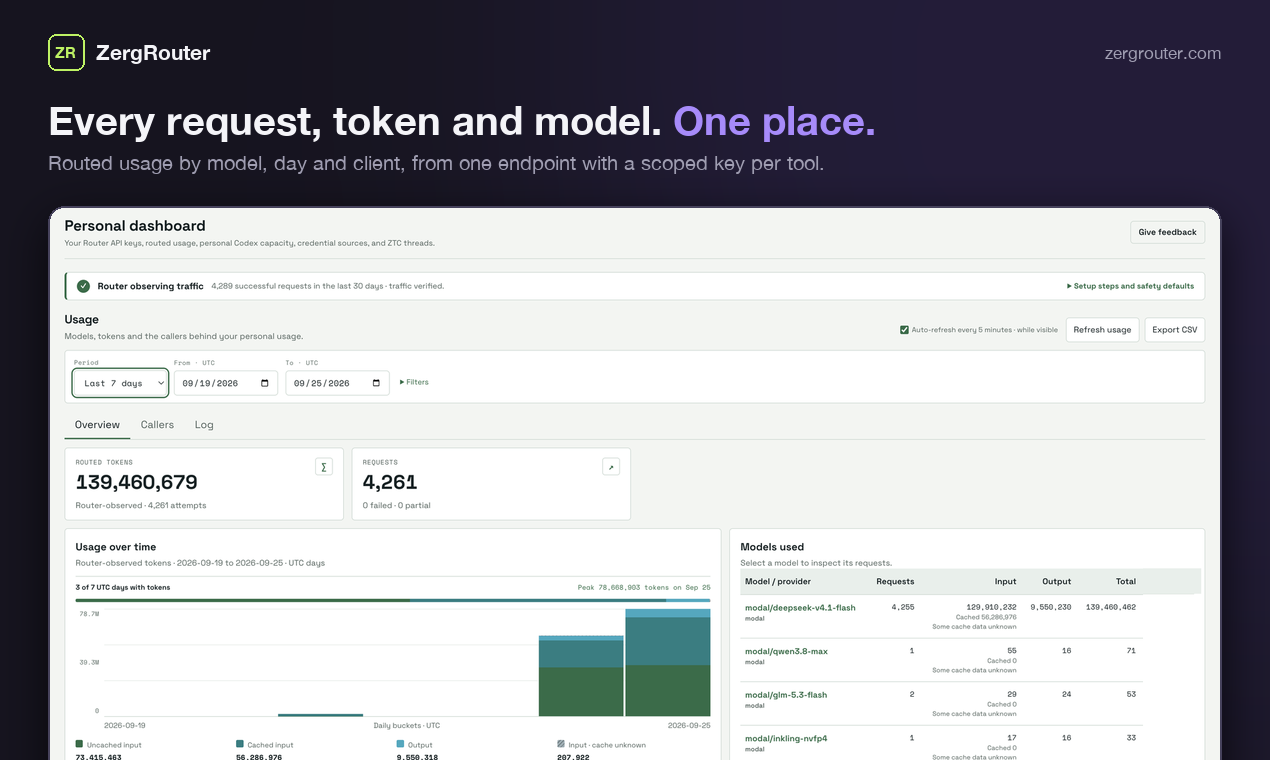
When provider pricing is unavailable, a missing cost estimate stays unknown. It is not evidence that a call was free.
If you use several Codex accounts, the next question is often about capacity: which account still has quota, and when does the constrained one reset?
The account view shows remaining quota, reset times, connection status, and the freshness of the latest observation. You can check the accounts together instead of discovering a limit after starting work.
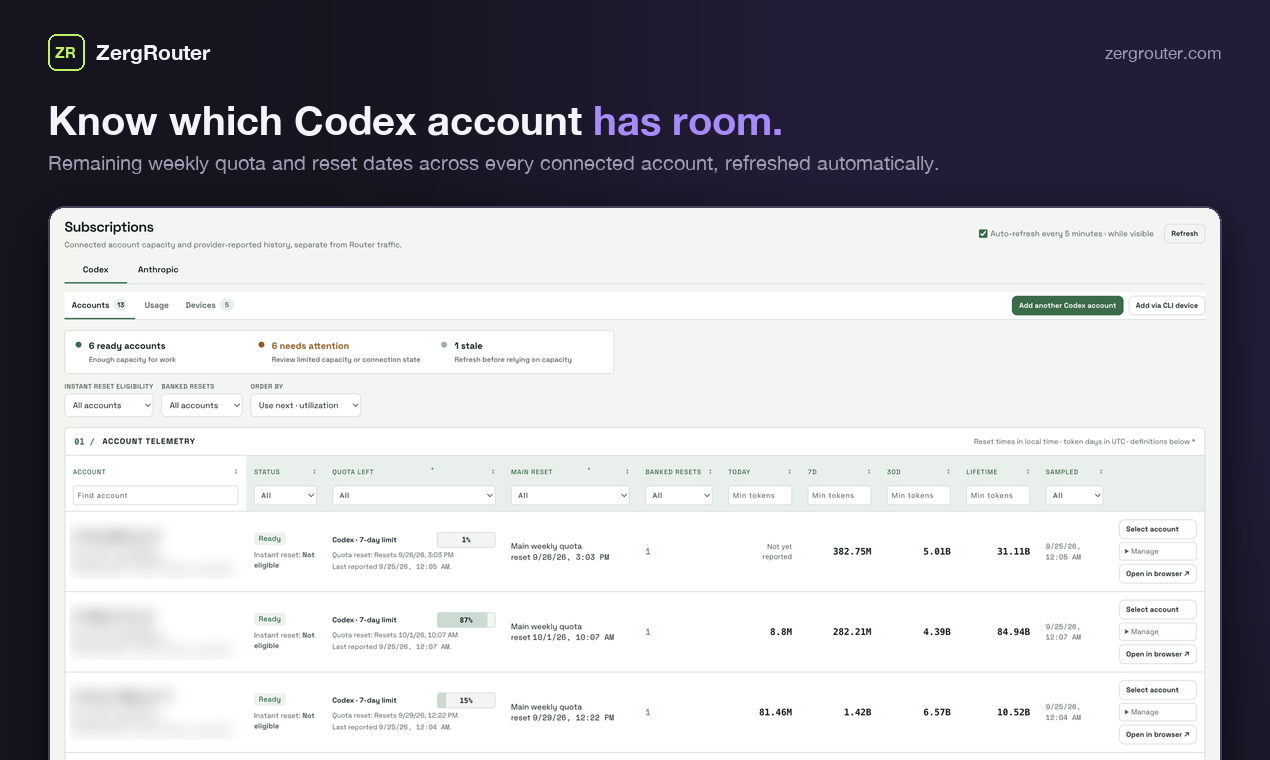
Account capacity and routed API usage are distinct. Keep that distinction when planning work: a subscription reset does not replenish your Router inference allowance, and adding a Router key does not reset account usage.
We also made an infomercial about the experience that led here: too many keys, a model that stops answering, and yet another place to check what happened. It explains the same product with a less restrained sales pitch.
Start small enough to see the whole route:
For platform-funded DeepSeek, Billing shows whether you are eligible for a no-card trial and its one-time token and dollar allowances. Paid DeepSeek usage is pay as you go with no monthly base fee, subject to the account's usage limits. Supported routes using your own provider keys are billed by that provider. Check the current access and billing details before starting a larger workload.
Choose your model. Keep your workflow.
Updated October 14, 2026, with launch videos, product screens, and current access information.